
Curated technical field guide
Find the right AWS guide faster.
Hands-on AWS guidance for building, securing, troubleshooting and retiring real cloud workloads. Start with a task, not a service catalogue.
New in AWS
Latest guides
The newest practical articles in this part of TurboGeek.
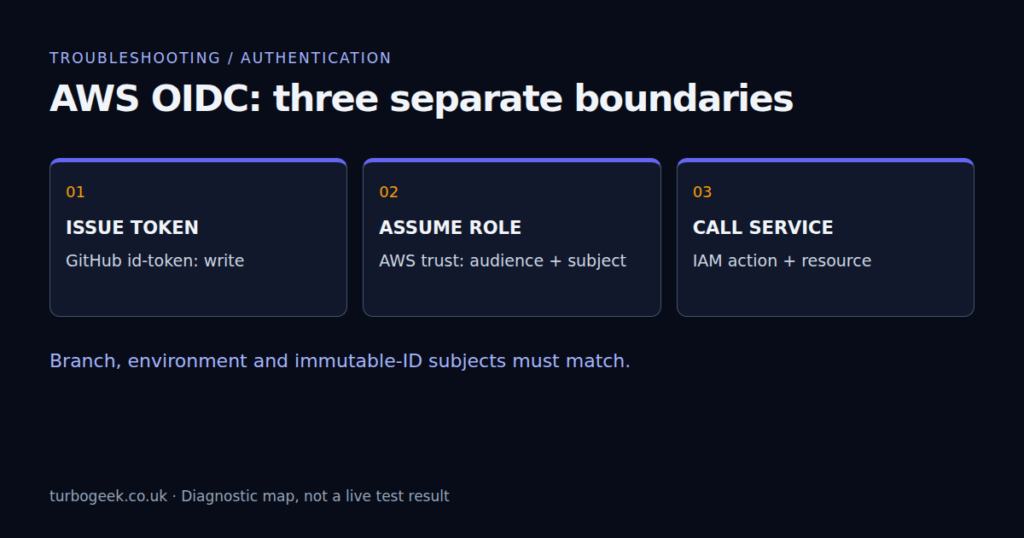
GitHub Actions AWS OIDC AccessDenied: Diagnose the Trust Policy
Find AWS OIDC failures in GitHub Actions: token permissions, audience, branch and environment subjects, immutable IDs and role policies.
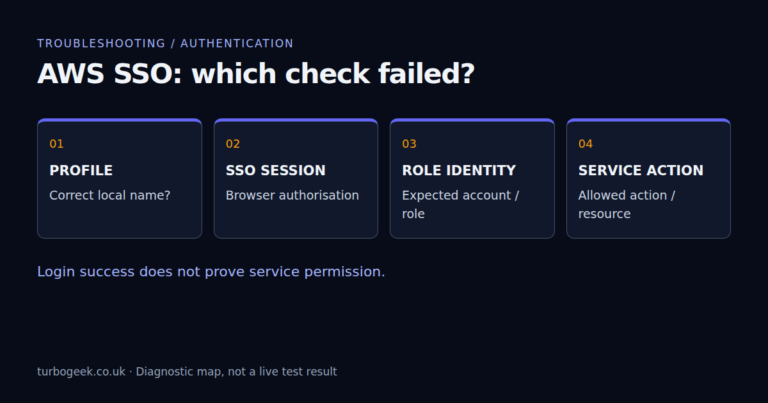

Editor’s starting points
Essential guides
Evergreen references selected to give you a reliable route into the topic.
Amazon Aurora Unveiled: A Game-Changer in Cloud Computing
Welcome to an in-depth exploration of Amazon Aurora, a revolutionary cloud database service. While the service shares some similarities with…
Boost Security and Productivity with AWS IAM Identity Center
Managing user access across numerous AWS accounts and business applications can be a significant operational challenge. AWS provides a robust…
AWS Well-Architected Framework: Principles and Best Practices
Leveraging the AWS Well-Architected Framework: Building Excellence in Cloud Solutions The AWS Well-Architected Framework is a comprehensive and systematic approach…
Need AWS CLI Commands? Get This Free Cheat Sheet
The AWS Command Line Interface (CLI) is a tool provided by Amazon Web Services (AWS) that allows you to interact…
Start with the work in front of you
Browse by task
Focused reading paths built from the site’s real categories and tags.
CLI and first steps
Set up the toolchain and learn the commands used across AWS.
Infrastructure as code
CDK, Terraform and repeatable cloud infrastructure.
Identity and security
Credentials, access controls and safer account operation.
Operations and migration
RDS, backup, cross-account moves and clean decommissioning.
Actively maintained
Recently updated
Guides that received a meaningful revision after their original publication.